Searching for an app that blocks Instagram until you read the Bible? It exists, and it works exactly the way you're hoping: your distracting apps stay locked behind a shield, and today's Bible verse is the key. On iPhone, Rhemack: Bible before scroll does this using Apple's own Screen Time technology — the same system parental controls use, so blocked apps are genuinely blocked, not just hidden. On Android, Rhemack enforces blocking with Android's Accessibility Service — available now on Google Play.
How verse-to-unlock blocking works
Rhemack registers as a Screen Time shield on your iPhone. You choose which apps it protects — individual apps like Instagram, TikTok, X, Snapchat and YouTube, or an entire category like Social Media. From then on:
- Shielded apps show a small lock badge on your home screen.
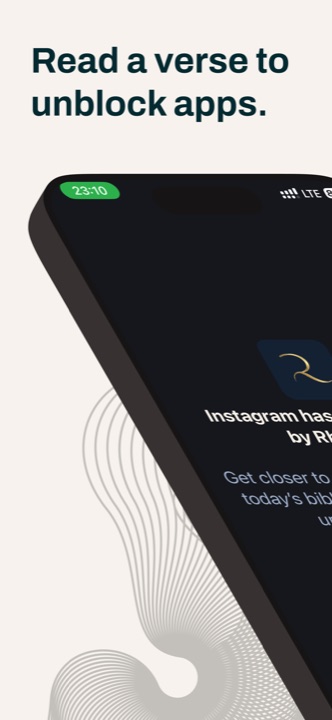
- Tapping one opens Rhemack's shield: "Instagram has been blocked by Rhemack. Get closer to God — read today's Bible verse to unblock your apps."
- You read one intentional verse and can explore an AI-powered reflection on its meaning.
- Your apps unlock, and your reading streak grows.
Setting it up (about two minutes)
- Download Rhemack free from the App Store (iPhone or iPad, iOS 17+) or Google Play (Android).
- Grant Screen Time permission when prompted — this is Apple's secure API; Rhemack never sees what you do inside other apps.
- Pick your shield. Choose the apps or categories that cost you the most time. Your dashboard shows exactly what's protected — e.g. "1 category, 3 apps locked".
- Done. Tomorrow, the first tap on a blocked app shows Rhemack's shield and points you to Scripture first.
Why this beats ordinary app limits
You've probably tried your phone's built-in app limits — and tapped "Ignore Limit" within a week. The problem is that a limit only says no. A dead end feels like punishment, so you override it.
Verse-to-unlock blocking says first. It doesn't shame you for wanting your apps; it asks for sixty seconds with God's Word before the feed. That reframe is why people stick with it: every interception is a small win rather than a fight with your own settings, and the blocked moment becomes the most spiritually productive moment of your day.
"But seek first the kingdom of God and his righteousness, and all these things will be added to you." Matthew 6:33
Frequently asked
Does it really block the apps?
Yes — the shield is enforced by iOS itself through Apple's Screen Time framework, not by an overlay you can swipe away.
Is Rhemack available on Android?
Yes — Rhemack is on Google Play. The Android version blocks apps using Android's Accessibility Service, which you enable explicitly — and like the iOS version, the blocking itself runs entirely on your device, so which apps you block and open never leaves your phone.
Can I choose which apps are blocked?
Completely. Shield one app, a handful, or whole categories. You stay in control from the dashboard.
What does it cost?
Rhemack is free to download on the App Store and Google Play, with an optional premium subscription that unlocks additional features.